
Công nghệ thông tin · chủ đề 3/9
Sử dụng phần mềm ứng dụng
Using applications
30 thuật ngữ30 câu ví dụ📐 kí hiệu, đơn vị, công thức
Tất cả chủ đề9 chủ đề
- 1. Phần cứng máy tính40 thuật ngữ
- 2. Hệ điều hành và tệp49 thuật ngữ
- 3. Sử dụng phần mềm ứng dụng30 thuật ngữ
- 4. Mạng máy tính và Internet37 thuật ngữ
- 5. Lập trình cơ bản49 thuật ngữ
- 6. Dữ liệu và cơ sở dữ liệu28 thuật ngữ
- 7. Phát triển phần mềm40 thuật ngữ
- 8. An toàn thông tin23 thuật ngữ
- 9. Thiết kế web21 thuật ngữ
Luyện thẻ ghi nhớ
💡 Mẹo: lật thẻ để xem nghĩa, bấm loa để nghe giọng Anh-Anh.
/æp/
ứng dụng (app)
a program, especially a small one for a phone or tablet
I downloaded a note-taking app on my phone.
Tôi đã tải một ứng dụng ghi chú về điện thoại.
/ˌæplɪˈkeɪʃn/
ứng dụng (application)
a program designed for a specific purpose for end users
This application helps students practise English vocabulary.
Ứng dụng này giúp học sinh luyện từ vựng tiếng Anh.
/ˈɒfɪs/
bộ phần mềm văn phòng (office)
a package of software such as a word processor and spreadsheet
Our company installs an office suite on every laptop.
Công ty chúng tôi cài một bộ phần mềm văn phòng trên mọi máy tính xách tay.
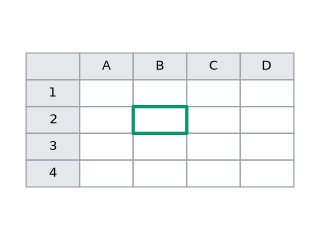
/ˈspredʃiːt/
bảng tính (spreadsheet)
an application that organises data in rows and columns
I keep the monthly budget in a spreadsheet.
Tôi lưu ngân sách hằng tháng trong một bảng tính.
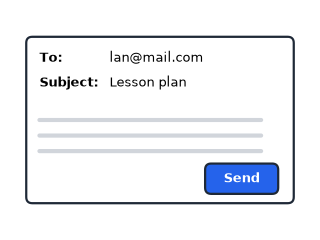
/ˈiːmeɪl/
thư điện tử (email)
a system for sending messages over a computer network
I will send you the report by email.
Tôi sẽ gửi báo cáo cho bạn qua email.
/fɒnt/
phông chữ (font)
a file that defines the shapes of characters on screen or paper
Install the font before you open the document.
Hãy cài phông chữ trước khi mở tài liệu.
/ˈjuːzə/
người dùng (user)
a person who uses a computer, system or application
The user must sign in before viewing the dashboard.
Người dùng phải đăng nhập trước khi xem bảng điều khiển.
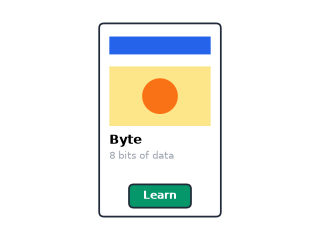
/ˌjuːzər ˈɪntəfeɪs/
giao diện người dùng (user interface)
the part of software that users see and use
The new user interface is cleaner and easier to use.
Giao diện người dùng mới gọn gàng và dễ dùng hơn.
/ˈɪntəfeɪs/
giao diện (interface)
the point where two systems or a user and a machine connect
The API provides an interface between the two services.
API cung cấp một giao diện giữa hai dịch vụ.
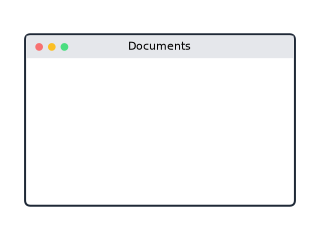
/ˈwɪndəʊ/
cửa sổ (window)
a rectangular area on screen showing a program's interface
Close the window to quit the application.
Hãy đóng cửa sổ để thoát ứng dụng.
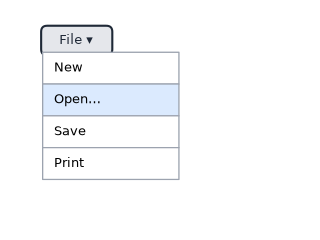
/ˈmenjuː/
trình đơn, menu (menu)
a list of options the user can choose from
Open the File menu and select Save.
Mở trình đơn File và chọn Save.
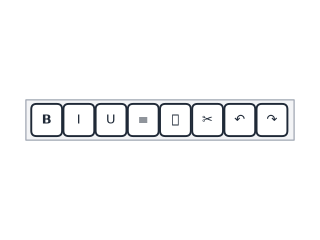
/ˈtuːlbɑː/
thanh công cụ (toolbar)
a row of buttons that activate functions of an application
Click the save icon on the toolbar.
Nhấp vào biểu tượng lưu trên thanh công cụ.
/ˈaɪkɒn/
biểu tượng (icon)
a small picture on a screen that represents a program or action
Click the trash icon to delete the file.
Nhấp vào biểu tượng thùng rác để xóa tệp.
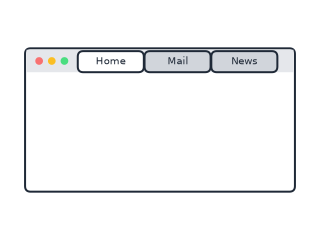
/tæb/
thẻ (tab)
a clickable control for switching between pages or panels
Open the link in a new tab.
Hãy mở liên kết trong một thẻ mới.
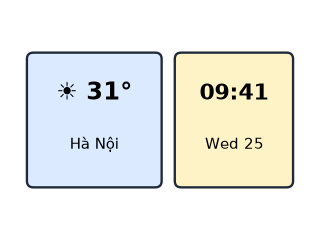
/ˈwɪdʒɪt/
thành phần giao diện (widget)
a component of a graphical interface such as a button or text box
Add a text widget to the form.
Hãy thêm một thành phần giao diện văn bản vào biểu mẫu.
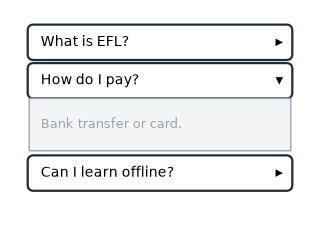
/əˈkɔːdiːən/
danh sách thu gọn (accordion)
a list whose items can be expanded and collapsed
The FAQ page uses an accordion to save space.
Trang hỏi đáp dùng danh sách thu gọn để tiết kiệm chỗ.
/skɪn/
giao diện tùy biến (skin)
a set of files that changes how a program looks
You can change the skin to give the player a dark theme.
Bạn có thể đổi giao diện để trình phát có chủ đề tối.
/klɪk/
cú nhấp chuột (click)
the act of pressing a mouse button
A single click on the icon opens the menu.
Một cú nhấp chuột vào biểu tượng sẽ mở menu.
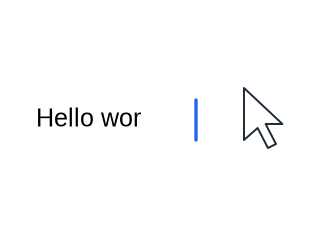
/ˈkɜːsə/
con trỏ chuột (cursor)
the on-screen icon showing where the pointing device is
Move the cursor over the button and click it.
Di chuyển con trỏ chuột lên nút rồi nhấp vào.
/səˈlekʃən/
vùng chọn (selection)
the items a user has selected for an action
Copy the current selection and paste it into the editor.
Hãy sao chép vùng chọn hiện tại và dán vào trình soạn thảo.
/ˈfəʊkəs/
tiêu điểm (focus)
the state of being the active element that receives input
The input field has focus when the cursor blinks in it.
Ô nhập có tiêu điểm khi con trỏ nhấp nháy trong đó.
/pɪn/
ghim (pin)
to attach an item so it stays in place
Pin the app to the taskbar for quick access.
Hãy ghim ứng dụng vào thanh tác vụ để mở nhanh.
/ˈkləʊz/
đóng (close)
to end an application, window, file or connection
Remember to close the file after reading it.
Hãy nhớ đóng tệp sau khi đọc nó.
/riˈfreʃ/
làm mới (refresh)
to reload a page or screen to show the latest content
Refresh the page to see the new data.
Hãy làm mới trang để xem dữ liệu mới.
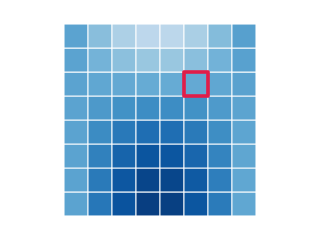
/ˈpɪksəl/
điểm ảnh (pixel)
the smallest dot that makes up a digital image
The icon is only sixteen pixels wide.
Biểu tượng này chỉ rộng mười sáu điểm ảnh.
/ˌrezəˈluːʃn/
độ phân giải (resolution)
the number of pixels used to display or store an image
The screen resolution is 1920 by 1080 pixels.
Độ phân giải màn hình là 1920 nhân 1080 điểm ảnh.
/ˈpɔːtreɪt/
chiều dọc (portrait)
a page or screen orientation where height is greater than width
The app also works in portrait mode.
Ứng dụng cũng chạy ở chế độ chiều dọc.
/ˈbɪtˌmæp/
ảnh bitmap (bitmap)
an image stored as a grid of pixels
A bitmap becomes blurry when you enlarge it.
Ảnh bitmap bị mờ khi bạn phóng to.
/ˈleɪə/
lớp ảnh (layer)
one of the separate transparent sheets that make up an image
Put the text on a new layer so you can edit it later.
Hãy đặt chữ vào một lớp mới để bạn có thể chỉnh sửa sau.
/ˈɑːtɪfækt/
nhiễu ảnh (artifact)
a visible distortion caused by compression or processing
Heavy compression leaves artifacts in the image.
Nén quá mạnh để lại nhiễu ảnh trong hình.